
Networks and Wi‑Fi.
The right coverage. Real performance.
Good Wi‑Fi is not just a powerful router. Infrastructure, access-point placement, load, interference and coverage should be planned around the property and the number of users and devices. GilGal (also written Gil Gal) designs and installs the solution around the site and actual requirements.
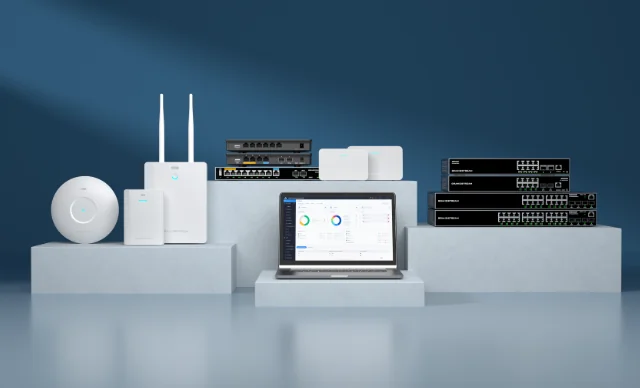
Network infrastructure built correctly from the start.
We plan outlets, cabinets, cabling and access points around the building and use case. Suitable projects can include fiber, multiple APs and seamless movement between coverage areas.
The aim is a stable, predictable network for work, cameras, smart-home systems, streaming and other services — with fewer weak spots and less reliance on improvised fixes.
Planning comes first.
Coverage planning
Wi‑Fi access points positioned according to the building, materials, users and areas that require reliable service.
Wired infrastructure
Cabling, network cabinets, uplinks and fiber selected according to capacity and distance requirements.
Mesh & roaming
Options for moving between coverage zones and managing multiple access points where appropriate.
Why does good Wi-Fi start with infrastructure rather than just a stronger router?
Stable wireless coverage depends on the building, walls, interference, user load and access-point placement. Professional Wi-Fi installation may use access points, Mesh or roaming, but the result also depends on the wired infrastructure and correctly planned network outlets.
In homes and businesses with security cameras, smart-home systems or home cinema, the network becomes shared infrastructure. Cabling, switches, PoE, the communications cabinet and, where appropriate, fiber should be planned for stability and future expansion.
- Structured cabling and communications cabinets
- Access points, Mesh and roaming
- PoE switching for cameras and smart systems
- Fiber and project-specific network solutions
What to know before you start.
How many Wi‑Fi access points do I need?
It depends on size, layout, wall construction, load and user locations. Some properties need one AP, while others require several.
What is the difference between Mesh and wired access points?
Mesh can simplify coverage expansion, while wired access points usually provide more predictable backhaul. The right option depends on infrastructure and goals.
Can cameras and smart-home devices use the same network?
Yes, but capacity, segmentation and management should be planned so all systems operate reliably and securely for the intended use.
Request a quote
Leave your details and we’ll get back to you shortly.